Find your person.
Create a client account and enter the invitation code your trainer shares with you. Review their name, accept, and you’re connected.
Your meal plan, your daily progress, and your trainer’s feedback. Together in one calm, easy-to-use app.
Designed for iPhone · Preparing for App Store launch
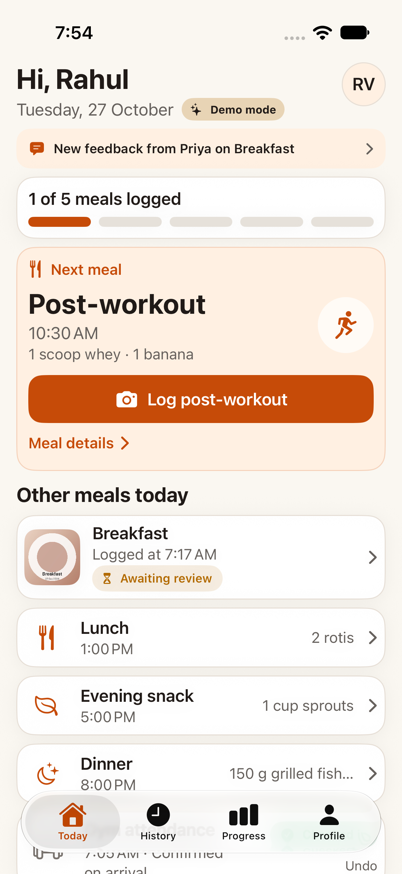
MealSaathi helps you and your trainer stay on the same page—without scattered meal photos and endless message threads.
Create a client account and enter the invitation code your trainer shares with you. Review their name, accept, and you’re connected.
See the meals your trainer planned. Take a photo, add a quick note, or record a skipped meal. Keep a simple, honest history.
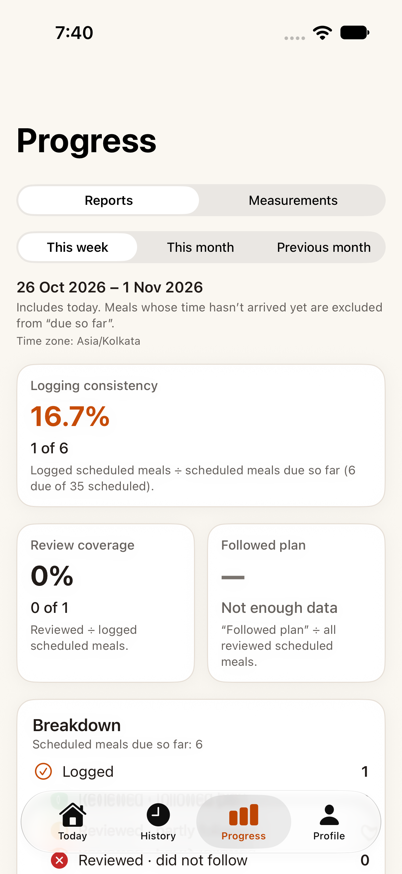
Your trainer reviews your meals and adds feedback. Look back at your progress and build consistency over time.
Open Today and focus on your next meal. Your plan, logging, and feedback stay connected, so the small things feel easier to keep doing.
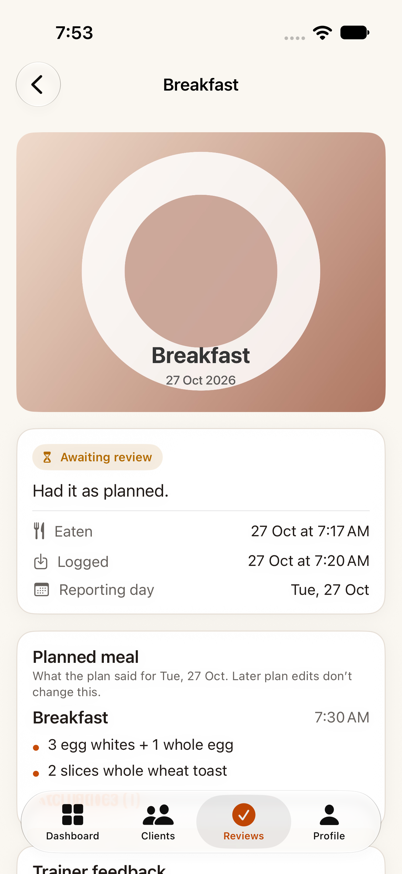
Spend less time piecing together updates. Keep each client’s meal plan, review queue, and progress in one place.
You choose which trainer to connect with. Access follows that relationship, and you stay in control of your account.
Read our privacy policyPhotos are stored in a private bucket and displayed through temporary, authorized links.
Your active trainer can see shared logs and progress. End the relationship and their access ends.
Your saved gym location is private to you. Your trainer sees confirmed check-ins, not your location.
Create a client account, then enter your trainer’s 8-character invitation code. You’ll see their name before accepting. The option is also available under Profile → Trainer.
Yes. Choose the trainer role when creating your account. You can invite clients, assign meal plans, review logs, and view the progress of clients connected to you.
No. MealSaathi supports meal logging, trainer feedback, and habit consistency. It doesn’t automatically estimate calories, diagnose conditions, or replace a qualified healthcare professional.
You can end a relationship and connect to another trainer using a new invitation. Your own history stays with your account; your former trainer’s access ends.
Open Profile → Delete account and review the confirmation. This permanently removes the account and associated personal records. Read the full instructions.
MealSaathi is preparing for its App Store launch. Contact support@getmealsaathi.com with questions about availability. This page will link to the App Store once the app is published.
MealSaathi for iPhone. Built for clients and the trainers who support them.